Document the loss. Get paid for all of it.
Restoration estimating and documentation software with AI. What the crew captures in the field becomes the drylogs, AI-drafted estimates and invoices the insurance pays.
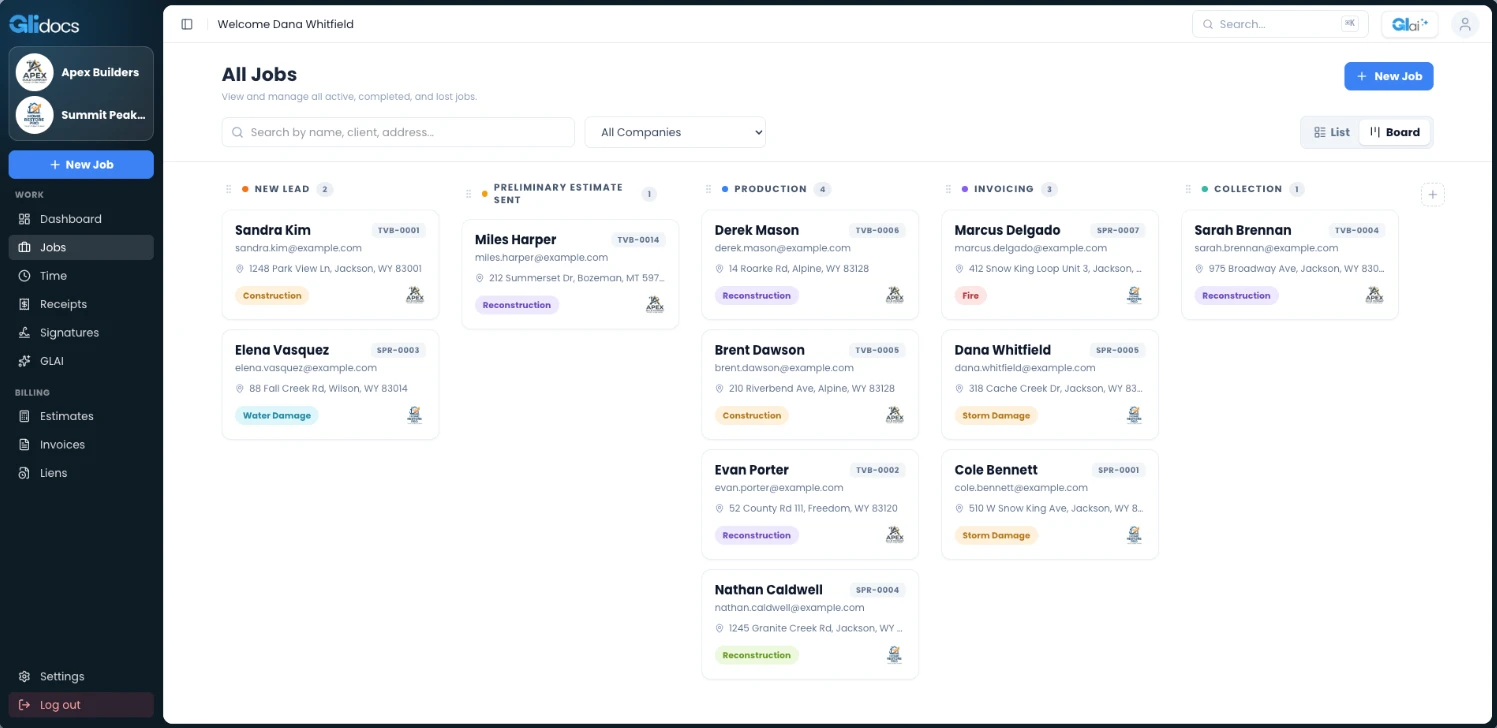
- losses run start to finish
- 105+
- restoration items in the estimating dictionary
- 1,300
- drylogs pushed back by carriers
- 0
The answer is attached before the adjuster asks.
Carrier reviews cut the same lines again and again, almost always for one reason: the documentation was not attached.
These are the five we see most, and what Glidocs puts in the file for each one.
- 01The review says
“The drylog starts the day after setup.”
In the Glidocs file. Readings and equipment from the first visit; the signed authorization with the start date and the equipment listed.
- 02The review says
“Photos or remove.”
In the Glidocs file. Every unit photographed in place, filed on the room, pinned to the line it supports.
- 03The review says
“The air was dry, stop drying.”
In the Glidocs file. Material moisture readings against the dry standard at every visit, not room humidity alone.
- 04The review says
“Drying is a 3 to 7 day process.”
In the Glidocs file. Readings for the whole equipment period, and a written note for every pause.
- 05The review says
“Hours pending detailed logs.”
In the Glidocs file. One time entry per visit with activity and clock times.

The crew documented it. GLAI writes the estimate.
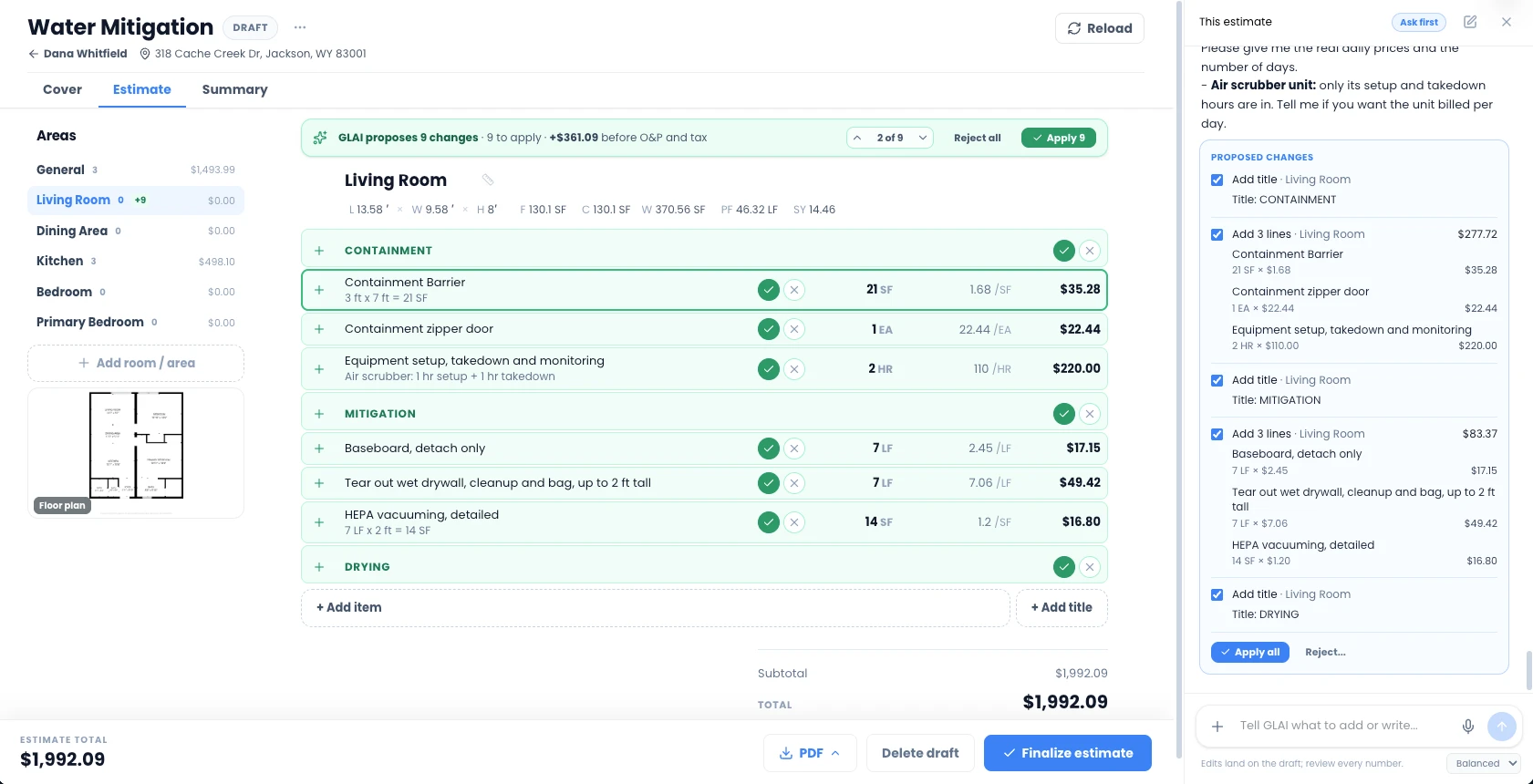
Writing the estimate is the job nobody pays you for. You get home from a demo day and still owe the carrier two hours of line items. Tell GLAI what happened, "toilet supply line leak, flood cut on two walls," and it drafts the lines. You review, adjust and send.
Starts from the record
Equipment days from the drylog, hours from the visits, photos and contents. Quantities come from what the crew captured, with the math on the line.
Your catalog, your prices
It finds the items in your catalog and prices them with your numbers. What the readings do not cover gets flagged, not guessed.
You approve every line
With Ask first on, proposed lines show inside the estimate before anything is saved. Accept, reject with a reason, or apply them all. Then GLAI writes the opening statement.
 Bring your own assistant. Your jobs, hours, readings and estimates, from ClaudeChatGPTClaude CodeCursor (Pro and Business).
Follow one loss, from the first call to paid.
Six levels, one job. What the crew captures at each one is what the next one is built from.
- Start: the phone rings
- 01
 Level 01
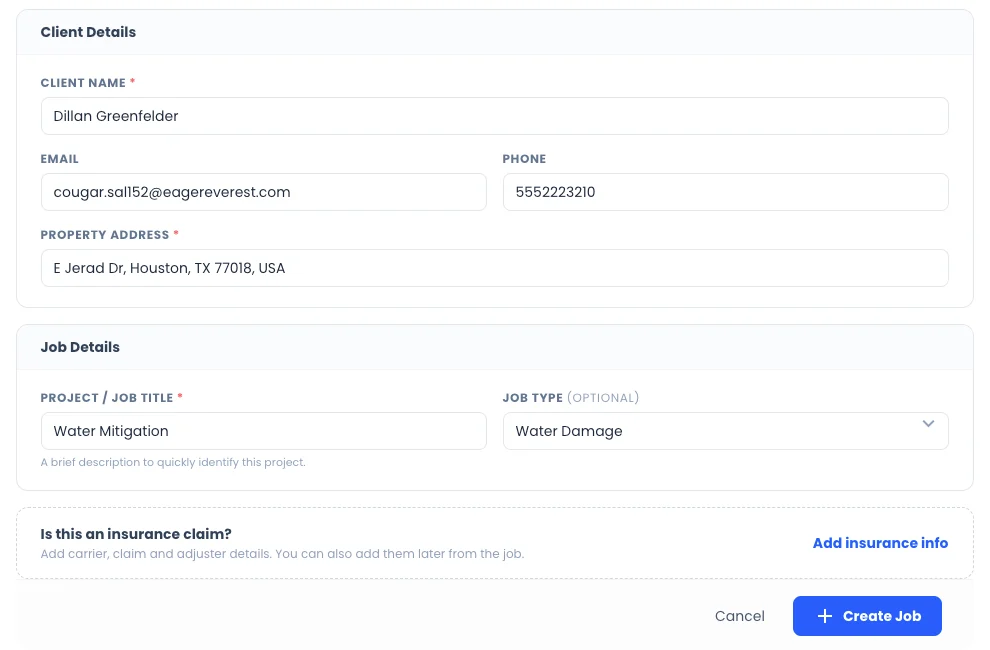
Open the loss
Address, claim number, date of loss and the company it belongs to. Takes under a minute.
- One home for the job: photos, readings, notes, contents and hours live on it, not across three apps.
- 02
 Level 02
Get it signed
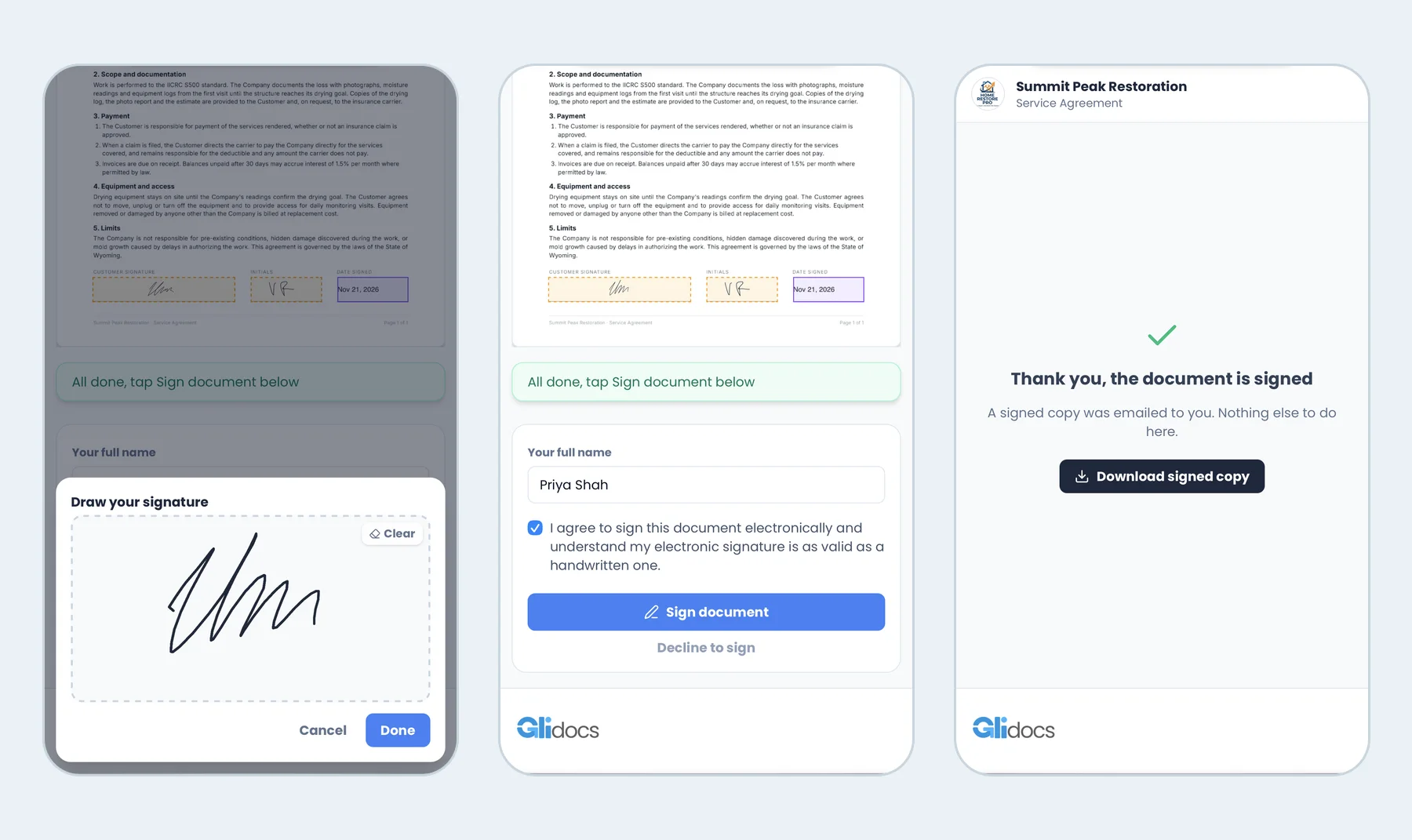
The service agreement goes out by email and is filled and signed on the customer's phone.
- It comes back with a certificate of completion: signer, consent text, sent, opened and signed times, device.
- A SHA-256 fingerprint is recorded the moment it is signed.
- 03
 Level 03
Document in the field
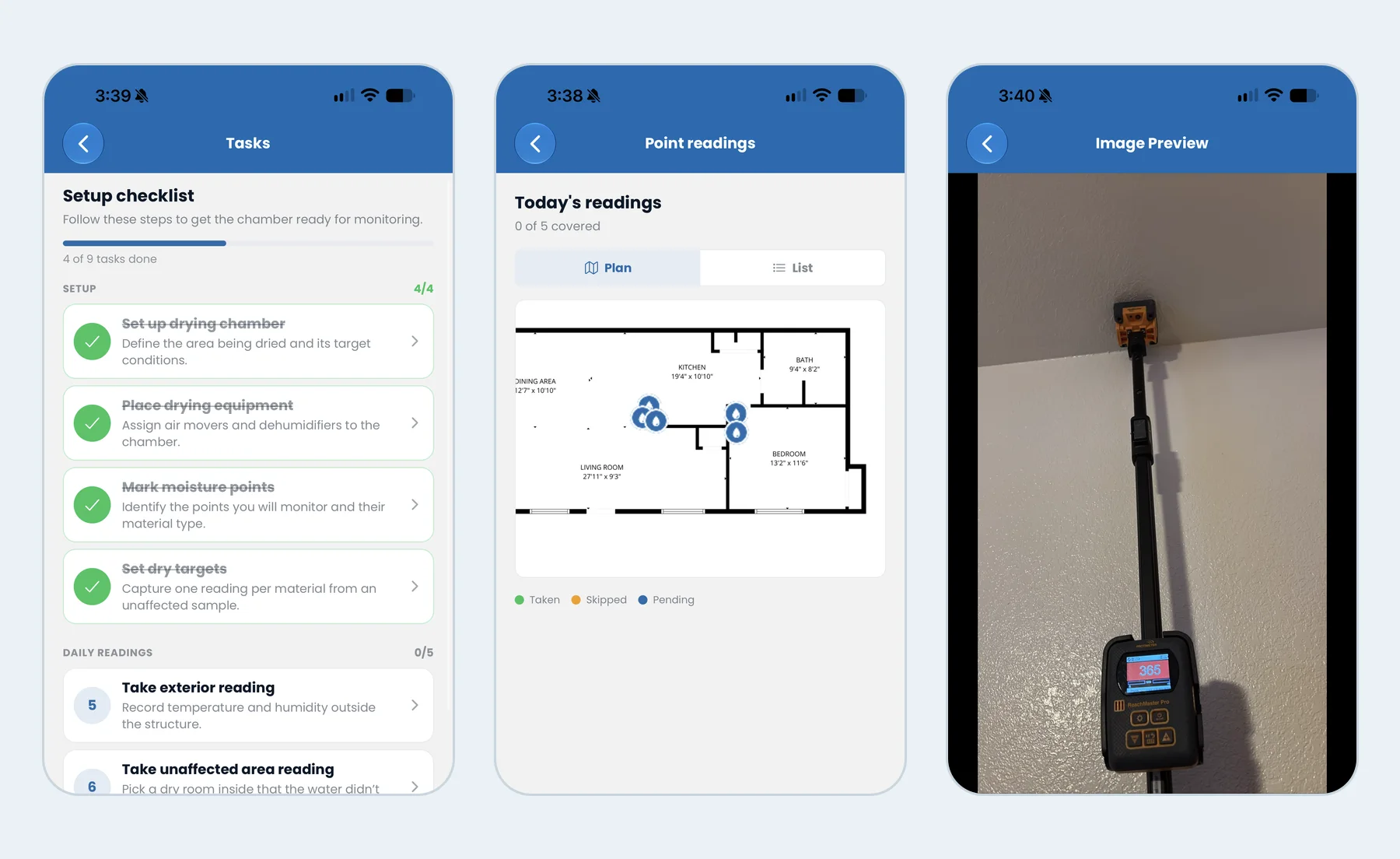
Crews log readings, photos, equipment, contents and hours from their phones, straight onto the job.
- The mobile app works offline.
- Contents, piece by piece: pack-outs with photos, boxes and storage locations.
- 04
 Level 04
Dry and prove it
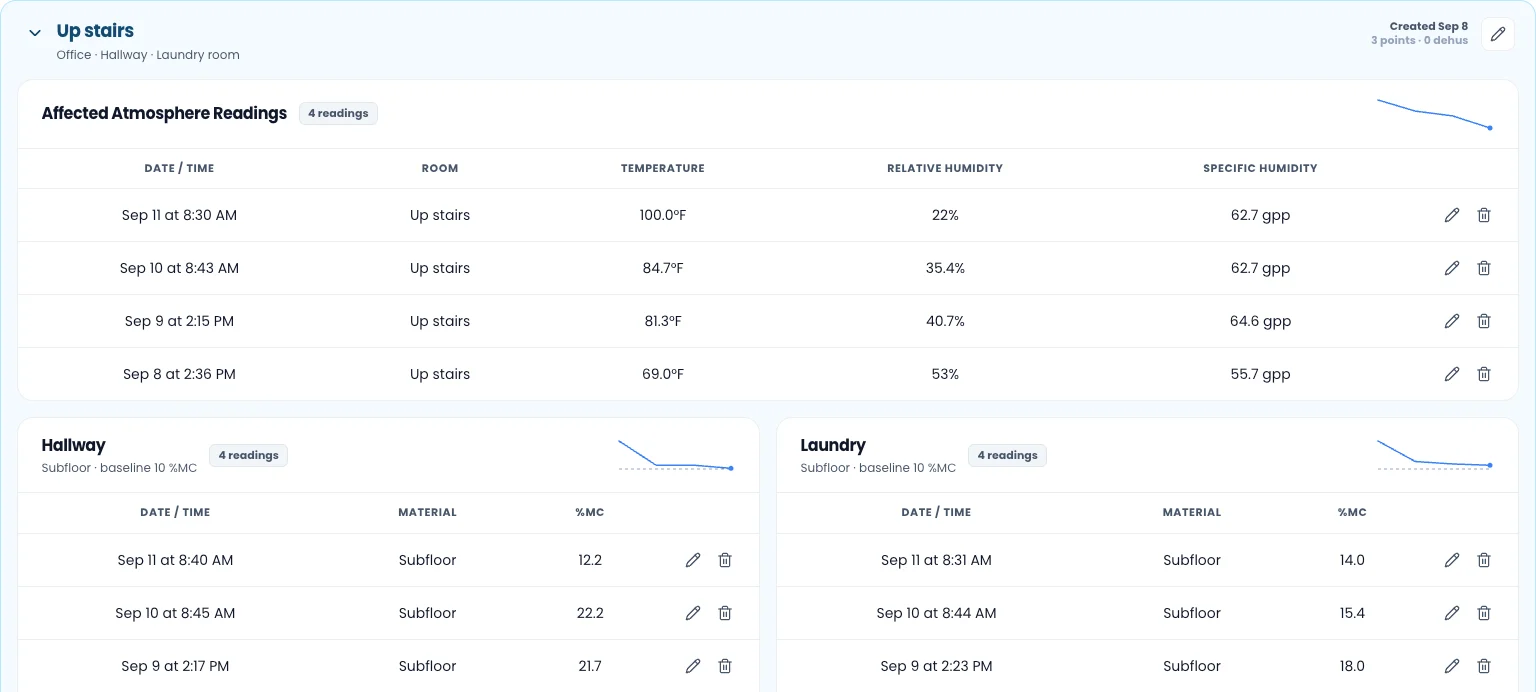
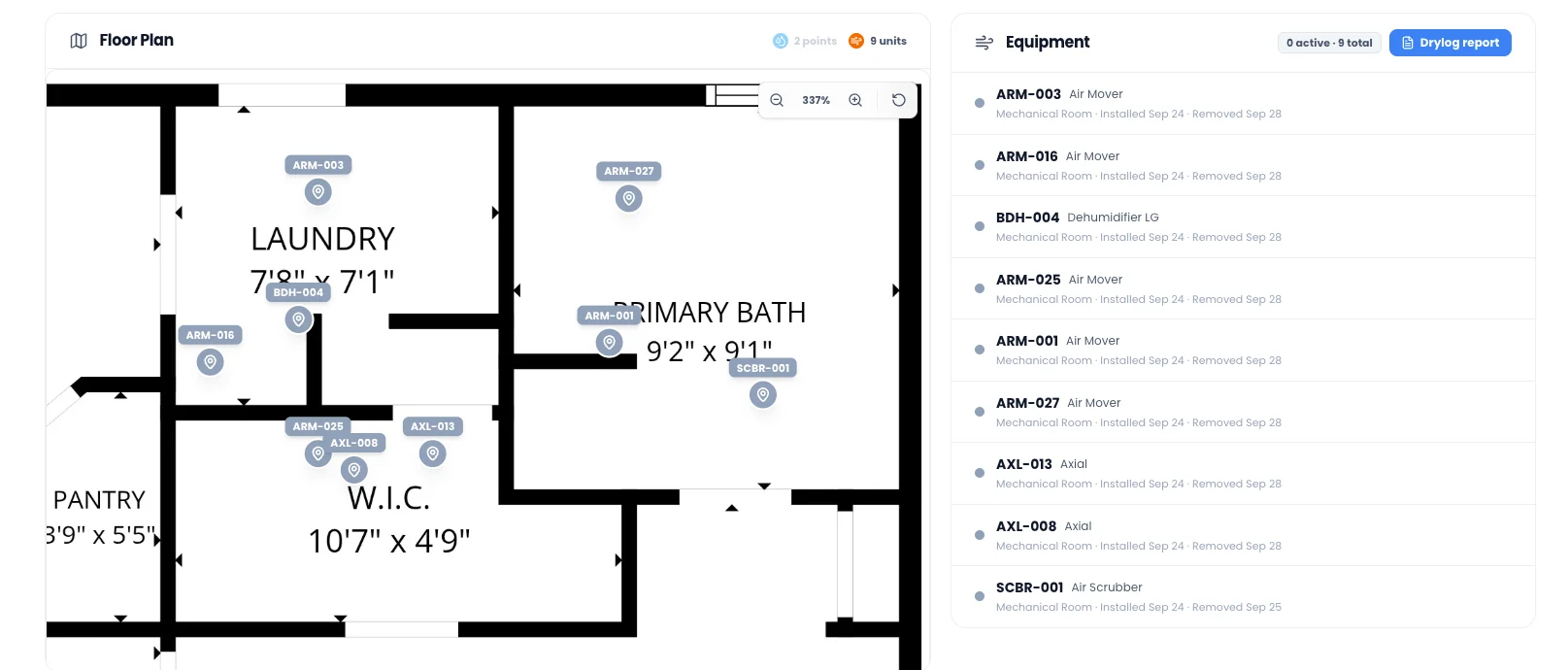
Daily readings, chambers and equipment placement become a clean drying record you hand to the carrier.
- Every unit pinned where it stood, with placed and removed dates.
- The drylog bills days per 24 hour period from these records, not from memory.
- 05
 Level 05
Build the estimate
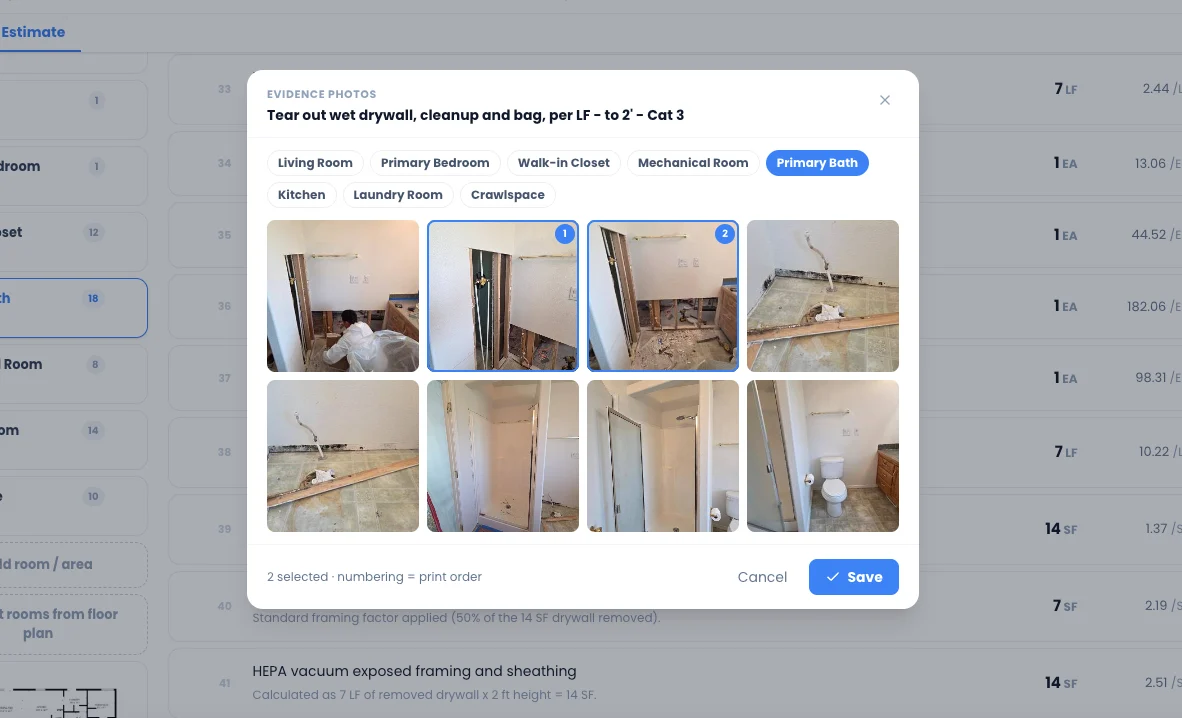
From a 1,300-item restoration dictionary with suggested hours and materials, priced with your rates.
- Pick the photos that support a line, from the room they were taken in; they print under it.
- PDF with room diagrams, ready for the adjuster.
- 06
 Level 06
Get paid
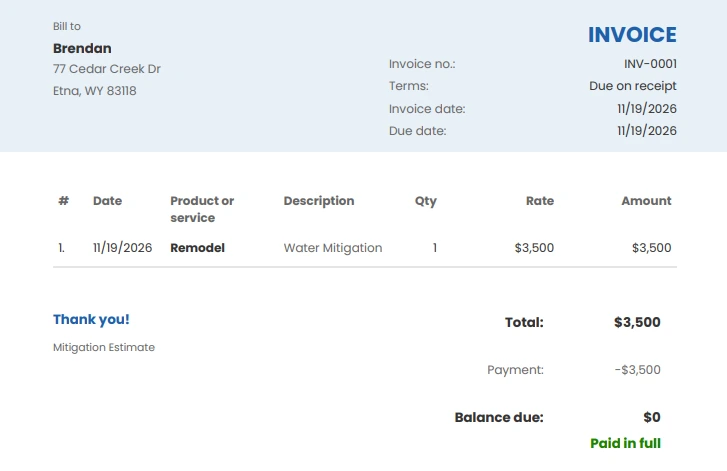
Bill from the job's own history. Every hour, receipt and change is already there.
- QuickBooks stays in sync.
- Invoice and lien notice reminders by state deadline.
- Finish: invoice paid
One price for the company, not per seat
Unlimited users, jobs and estimates on every plan, with AI credits included. 14 days free, no credit card.
Your company’s data stays yours.
Your jobs, your prices and your photos are your business. This is what keeps them that way.
Read the security page →Checked on every request
Every job, photo, estimate, invoice and GLAI conversation belongs to one company. The server checks that ownership on every single request, not just in the screens you see.
Photos and documents are not public
Files live in private storage and are served through signed links that expire after one hour. There is no permanent URL to a photo or a drylog.
GLAI does not learn from your files
Your photos, prices and documents are never used to train AI models, ours or anyone else's.
You can leave with your data
Drylogs, estimates, invoices and contents inventories export as PDF at any time. If you close your account we delete the company and its files on request.
Your next loss, fully documented.
Bring one water job into Glidocs and see the difference by the time the carrier pays it. 14 days free, no credit card.
If your crews run jobs in the field, it works for you too.
Glidocs was built for water, fire and mold, but a job is a job: the same photos, hours, estimates and invoices carry over.
- Roofing
- Remodeling
- Plumbing
- Cleaning
- Photos filed by room, from the phone
- Crew hours logged on the job
- Receipts read by AI
- Estimates priced with your rates
- Invoices in sync with QuickBooks
- Documents signed on the customer's phone